Case Study

PlayStation
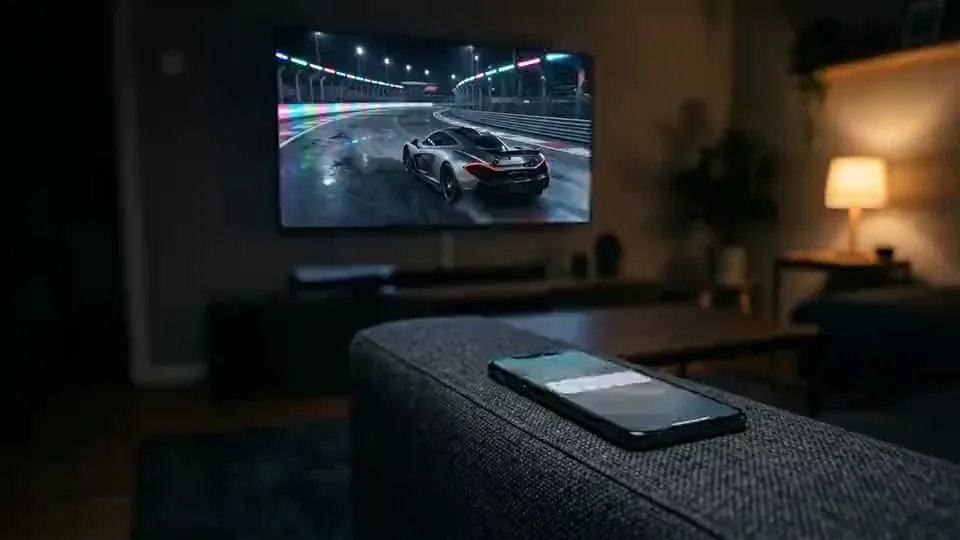
Taking the DriveClub experience beyond the console.
The challenge was to create a connected second-screen experience that felt useful, engaging, and part of the wider product.
Client
PlayStation
Sector
Gaming
Role
UX Lead
Services
UX, Product Design, Multi-device Design, Delivery Leadership
Skills used
Six disciplines
What this engagement actually needed.
UX
Product Design
Multi-device Design
Delivery Leadership
Interaction Design
Platform Consistency
The challenge was delivering something new, under tight deadlines, alongside a major console launch.
Project overview
Extending the PlayStation experience beyond the console.
DriveClub was one of the flagship launch titles for PlayStation 4, introducing a social, team-based racing experience built around clubs and competition.
Evolution Studios wanted to extend that experience beyond the console. The goal was a second-screen app that allowed players to stay connected, track progress, and interact with their club in real time.
I was brought in to glossaryLeadA lead is a potential customer who has shown interest in a product or service, typically by providing contact information or engaging with content.Open glossary term UX and project glossaryDeliveryDelivery is the process of building, testing, and releasing a product or feature.Open glossary term, designing a multi-device experience across iOS and Android that felt like a natural extension of the PlayStation ecosystem.
The challenge was delivering something new, under tight deadlines, alongside a major console launch.
What was happening
The game was evolving fast. The experience needed to keep up.
Game development is fluid. glossaryFeatureA feature is a specific piece of functionality within a product that delivers value to users. It represents something users can do or experience as part of the overall product.Open glossary term change, priorities shift, and nothing stays fixed for long.
The second-screen experience had to evolve alongside the game, without falling out of sync.
At the same time, expectations were high. This wasn’t a companion tool. It needed to feel like part of the PlayStation experience, not something bolted on afterwards.
There were also hard deadlines. Press events, demos and launch milestones couldn’t move.
The risk was clear. If the app felt disconnected, or missed key milestones, it would undermine both the product and the launch.
Approach
Design it as part of the game, not alongside it.
The focus was on creating a seamless extension of the console experience.
Close collaboration with Evolution Studios ensured the app evolved in line with the game. glossaryFeatureA feature is a specific piece of functionality within a product that delivers value to users. It represents something users can do or experience as part of the overall product.Open glossary term, flows and glossaryInteractionInteraction refers to any action a user takes within a product and how the system responds. It includes clicks, taps, gestures, and inputs that drive the user experience.Open glossary term were aligned continuously, not handed over at the end.
The experience was designed to mirror PlayStation’s design language, maintaining visual and glossaryInteractionInteraction refers to any action a user takes within a product and how the system responds. It includes clicks, taps, gestures, and inputs that drive the user experience.Open glossary term glossaryConsistencyConsistency is the use of uniform patterns, behaviours, and visual elements across a product to create familiarity and predictability. It helps users learn once and apply that knowledge throughout the experience.Open glossary term across devices.
At the same time, the app had to stand on its own. Mobile glossaryInteractionInteraction refers to any action a user takes within a product and how the system responds. It includes clicks, taps, gestures, and inputs that drive the user experience.Open glossary term were designed for glossaryContextContext is the set of surrounding conditions that shape how someone behaves and decides, including their goal, their environment, their time pressure, and what happened immediately before. The same action can mean different things in different contexts.Open glossary term, making it easy for users to dip in and out without losing glossaryEngagementEngagement refers to how users interact with a product, content, or experience, including actions like clicks, time spent, and interactions.Open glossary term.
I managed a glossaryCross-functional TeamA cross-functional team includes members with different skills working together towards a shared goal.Open glossary term of designers and glossaryDeveloperA developer builds and maintains the technical implementation of a product, writing code, integrating systems, and making a design work in practice. Much of the role is judgement about details no specification covered.Open glossary term, balancing speed with quality, and adapting quickly as requirements changed.
Every decision was made with one principle in mind. Keep players connected to the game, wherever they were.
Key decisions
Prioritise immersion over feature creep.
A key decision was to focus on making the experience feel connected, rather than overloaded.
It would have been easy to add more glossaryFeatureA feature is a specific piece of functionality within a product that delivers value to users. It represents something users can do or experience as part of the overall product.Open glossary term, but that risked turning the app into a disconnected utility.
Instead, the focus was on the core experience. Real-time tracking, club glossaryInteractionInteraction refers to any action a user takes within a product and how the system responds. It includes clicks, taps, gestures, and inputs that drive the user experience.Open glossary term and live glossaryEngagementEngagement refers to how users interact with a product, content, or experience, including actions like clicks, time spent, and interactions.Open glossary term.
Another important decision was maintaining glossaryConsistencyConsistency is the use of uniform patterns, behaviours, and visual elements across a product to create familiarity and predictability. It helps users learn once and apply that knowledge throughout the experience.Open glossary term with the PlayStation ecosystem. The app needed to feel familiar, not reinterpreted.
At the same time, mobile glossaryBehaviourBehaviour refers to how users interact with a system, including actions, patterns, and responses.Open glossary term were respected. glossaryInteractionInteraction refers to any action a user takes within a product and how the system responds. It includes clicks, taps, gestures, and inputs that drive the user experience.Open glossary term were adapted for touch, speed and glossaryContextContext is the set of surrounding conditions that shape how someone behaves and decides, including their goal, their environment, their time pressure, and what happened immediately before. The same action can mean different things in different contexts.Open glossary term, rather than forcing console patterns onto a different platform.
The balance was simple. Stay true to the game, but design for the device.
Solution
A second-screen experience that extended gameplay.
The result was a mobile and tablet app that allowed players to stay connected to DriveClub beyond the console.
Players could track races in real time, monitor leaderboards, and manage their clubs from anywhere.
The experience felt consistent with PlayStation, creating a seamless transition between console and mobile.
At the same time, it introduced new ways to engage, giving players a reason to stay connected even when they weren’t actively playing.
The app became an extension of the game, not a separate product.
Outcomes
A connected experience delivered at launch.
The app was delivered in line with key milestones, supporting press events, demos and the wider PlayStation 4 launch.
Early glossaryFeedbackFeedback is the system response that informs users about the result of their actions. It helps users understand what has happened and what to do next.Open glossary term from media and the gaming community was positive, particularly around the potential of second-screen glossaryIntegrationIntegration is the process of connecting different systems, tools, or services to work together.Open glossary term.
The experience demonstrated how mobile could enhance glossaryEngagementEngagement refers to how users interact with a product, content, or experience, including actions like clicks, time spent, and interactions.Open glossary term, rather than compete with the console.
Strong client glossaryFeedbackFeedback is the system response that informs users about the result of their actions. It helps users understand what has happened and what to do next.Open glossary term led to multiple contract extensions, allowing continued glossaryRefinementRefinement is the ongoing work of clarifying, breaking down, and sizing backlog items before they enter development. It is where ambiguity gets resolved while resolving it is still cheap.Open glossary term through to launch.
The project set a new benchmark for how companion apps could support and extend gameplay.
Reflection
If it feels separate, it fails.
This project reinforced that second-screen experiences only work if they feel like part of the core product.
Players don’t think in glossaryPlatformA platform is a system or environment that enables users, services, or applications to interact, build, or operate.Open glossary term. They think in experiences.
If moving between devices creates glossaryFrictionFriction refers to anything that slows users down or makes it harder for them to complete a task. It can be caused by poor design, unnecessary steps, unclear messaging, or technical issues.Open glossary term or disconnect, glossaryEngagementEngagement refers to how users interact with a product, content, or experience, including actions like clicks, time spent, and interactions.Open glossary term drops immediately.
The role of UX here is to remove that boundary. To make the experience feel continuous, regardless of where it’s accessed.
Get that right, and the product becomes bigger than a single screen.



